A workspace you can wear.
NeuroNav design, spatial models and deliberate hand interaction.
Work on one project from different places
No session backend is supplied or configured by this hosted site. You can create or join a real session only through a reachable HTTPS service that you configure separately. Each participant keeps their own view; the same-room simulation remains separate.
Architecture supports shared wall edits, control handover, annotations and safe undo. Hardware and engineering remain local inspection adapters. Screen placement does not establish physical glasses tracking.
No backend connected. Configure a reachable session service before choosing Create or Join.
Connecting another device
Start your separately configured session service, open its companion App and use the host’s invitation. Devices need a reachable HTTPS endpoint with a trusted certificate and allowed App origin. A local development host does not prove remote access. Service setup and real-device acceptance are separate from this hosted demonstration.
A lost connection keeps confirmed geometry visible only in the current open session. Disconnected edits are drafts and are never labelled as saved for everyone. The session authority handles lease expiry, revision checks and recovery.
Boot up NeuroNav
Follow the simulated startup through the glasses and their hardware twin.
Ready to power on.
Try a simulated fault
NeuroNav spatial frame
Reference-derived model · proposed wearable layoutBoot → calibrate → display → hand input → clear → recover.
Room view shows the wearer’s virtual workspace so you can follow the demonstration.
One lesson. Seven viewpoints.
Teacher and six fictional adult students wear NeuroNav glasses around one shared model.
Ready to teach · 0 / 80 s
Powered by 4P3X Intelligent AI™ Created by Kyzel Kreates™
Inside the glasses
The corresponding hardware components highlight as startup progresses.
Teacher’s lesson desk
Try the lesson yourself. Changes appear in every simulated wearer view.
A question for the class
What causes day and night on Earth?
Choose an answer to see the learning feedback.
0 / 6 simulated answers
Choose Play full lesson, or explore using the teacher controls.
Lesson timeline and saved progress
Fictional answers and lesson settings stay on this device. Earlier hardware and workspace saves are preserved.
Solar System sizes, spacing and time are compressed for teaching. Seven wearer views share one local model. Room, gestures and optics are authored simulations; physical glasses alignment, wearer fit and live classroom networking are not validated.
Choose any component to see its purpose.
Design reference and provenance
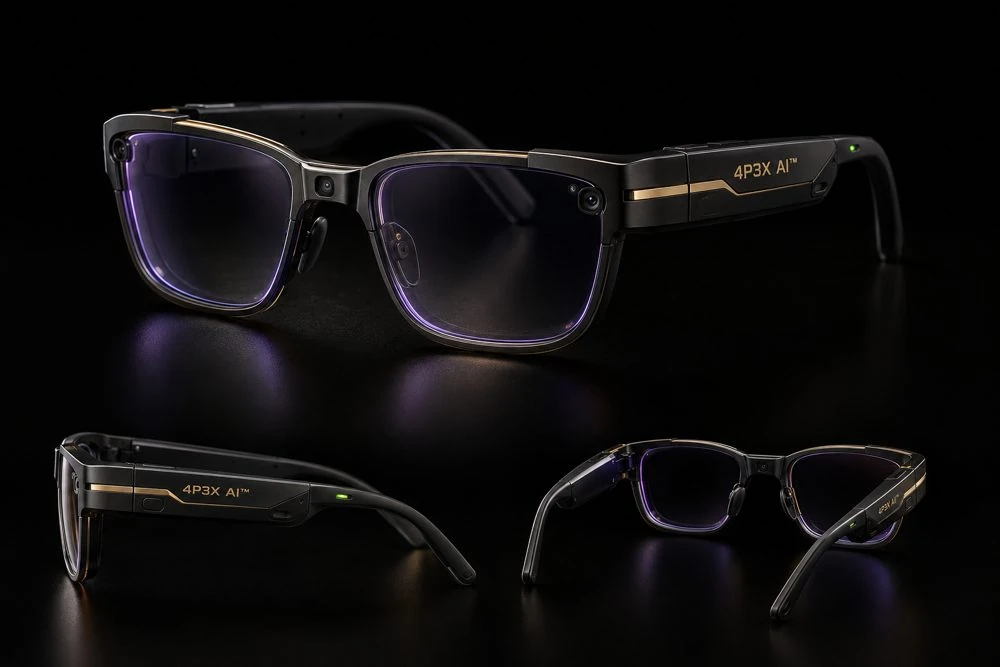
Frame geometry reuses the Phoenix V9 wearable factory, following the NeuroNav reference. The existing Spatial Matrix specification supplies the external-compute and Vision Mode architecture. The bundled Presence Studio engine supports the simulation. The v9.3 image workflow supplies new material and skin textures plus an original adult sculpting reference. The interactive rooms use authored procedural adults and furniture alongside the detailed domain models. Wearer view adds a synthetic room with no opaque workspace backdrop; it does not use a camera or reproduce real optical performance.
Fit parameters, gram values and sensor viewing zones are new concept assumptions. Model exports include static mesh geometry and base-colour textures. Generated finishes and authored anatomy are visual design references, not measured CAD or clinical data.
What this simulation establishes
Selectable 3D components; fit-fixture geometry; mass and balance arithmetic; deliberate synthetic pinch interaction; model movement, rotation and scaling; fault recovery; on-device session storage.
It does not establish human comfort, optical performance, real sensor accuracy, thermal safety, manufacturing feasibility or suitability for clinical use.
Next physical gates: weigh and balance a complete prototype; measure pad pressure and clamp force; test prescription/eyebox alignment, temperature and tracking; conduct wearer trials.
Design sources: Wearability · Hand interaction · Tracking loss
Export and accessibility
Drag to orbit or use the labelled controls. Two-finger pinch changes scale. Arrow keys orbit the camera; + and − change scale; Escape enters Vision Mode. Component selection and numeric placement work without gestures.
Session saves stay on this device. The models and material images load from this hosted demonstration. An internet connection is required to open it. WebGL adds reflections and soft shadows; CPU fallback uses flat lighting.
4P3X AI™
Ask about the model in front of you, explain a selected component, or request a workspace change.
Type your request here. Replies appear as text.
My local project notes
Notes stay on this device. Conversation is temporary.
Workspace actions and undo
Actions use bounded workspace controls. Clinical and engineering values here remain simulated.
Workspace help availability
Grounded help uses the current workspace facts and controls. Cloud and local generative drafting are unavailable in this hosted demonstration.